Authentication
TL;DR
Authentication answers "who are you?" and authorization answers "what can you do?" The three main auth mechanisms are session-based auth (server stores state), API keys (long random strings for server-to-server use), and JWTs (stateless tokens encoding user info). OAuth 2.0 combines API keys and JWTs into the industry standard for developer access. Default to mentioning "JWT-based auth" in interviews and move on unless asked to go deeper.
Authentication vs. Authorization — They're Not the Same Thing
Think of going through airport security.
Your passport is authentication. It proves who you are. The security officer checks the photo, verifies the document is real, and confirms your identity.
Your boarding pass is authorization. It proves what you're allowed to do. You might be authenticated as John Smith, but that doesn't mean you can board any flight. Your boarding pass says you can board Flight 742 to Tokyo, in seat 14C, boarding group 3.
In API terms:
| Concept | Question | Example |
|---|---|---|
| Authentication (AuthN) | Who are you? | "I am user 42, alice@example.com" |
| Authorization (AuthZ) | What can you do? | "User 42 can read events but cannot delete them" |
Every API request goes through both checks, in that order. First, authenticate the request — figure out who's calling. Then, authorize it — decide if that user is allowed to perform this action.
Why does this matter for interviews? When you design an API, interviewers expect you to mention both. Saying "this endpoint requires authentication" is a start. Saying "this endpoint requires authentication AND only users with the admin role can access it" shows you understand the full picture.
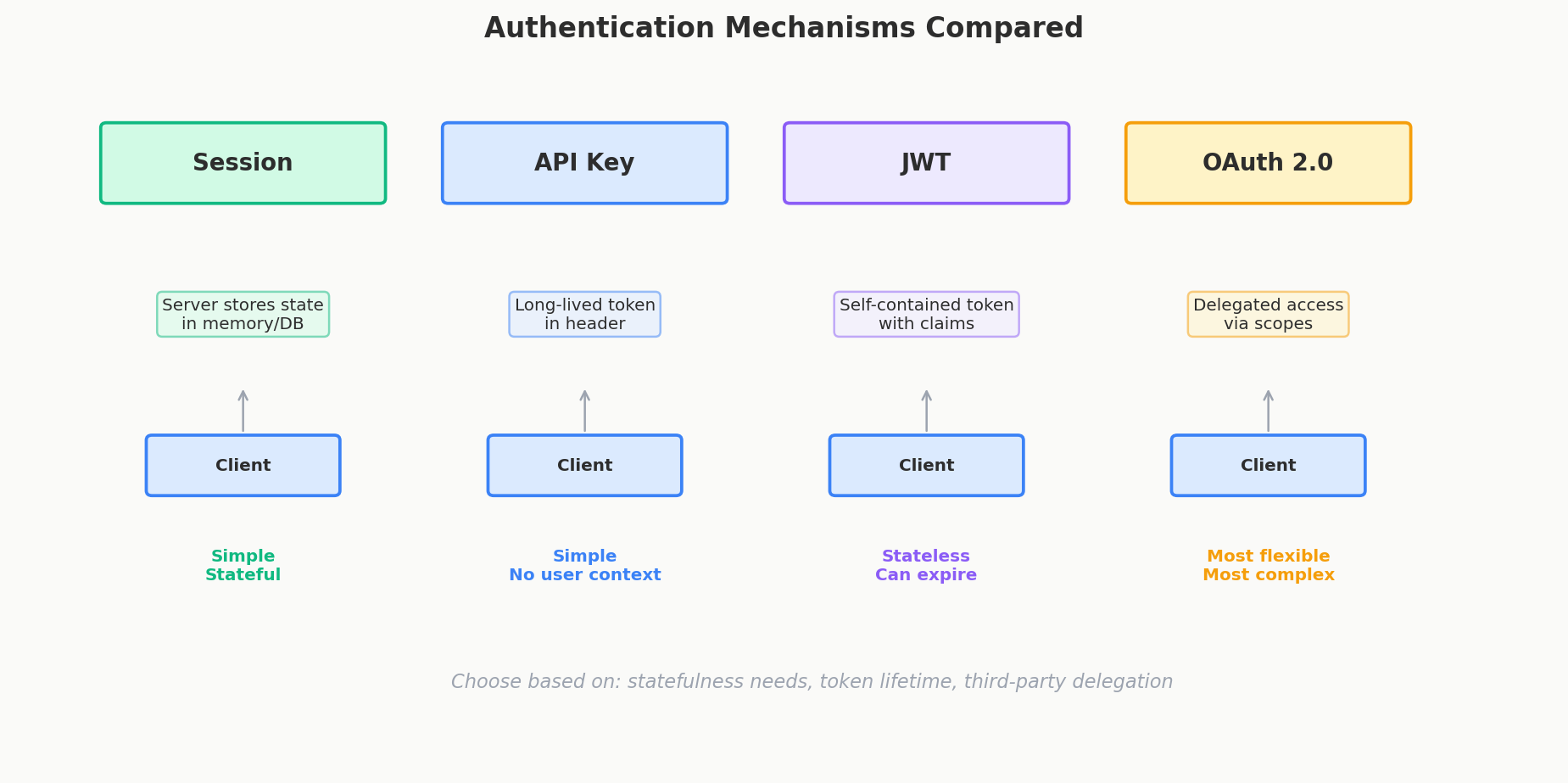
Mechanism 1: Session-Based Authentication
This is the oldest and most straightforward approach. It works like a coat check at a restaurant.
How It Works
- Client sends credentials:
POST /loginwith email and password. - Server verifies: Checks credentials against the database.
- Server creates a session: Stores a session object (user ID, creation time, expiration) in memory or a session store (like Redis).
- Server sets a cookie: Returns a
Set-Cookieheader with a session ID — a random string likesess_abc123xyz. - Client sends cookie on every request: The browser automatically includes it in every subsequent request.
- Server looks up the session: On each request, the server takes the session ID from the cookie, looks it up in the session store, and retrieves the user's identity.
Client                          Server                    Session Store
  |                               |                           |
  |-- POST /login (email, pass) ->|                           |
  |                               |-- verify credentials ---->|
  |                               |<-- user found ------------|
  |                               |-- store session ---------->|
  |<-- Set-Cookie: sess_abc123 ---|                           |
  |                               |                           |
  |-- GET /events                 |                           |
  |   Cookie: sess_abc123 ------->|                           |
  |                               |-- lookup sess_abc123 ---->|
  |                               |<-- user_id: 42 ----------|
  |<-- 200 OK (events data) ------|                           |
Pros and Cons
| Pros | Cons |
|---|---|
| Simple to implement | Server must store state (session store) |
| Server has full control — revoke a session instantly by deleting it | Doesn't scale horizontally without sticky sessions or a shared session store (Redis) |
| Cookie handling is built into browsers — no client-side code needed | Cookies don't work well for mobile apps or third-party API access |
| Battle-tested and well-understood | Cross-origin requests (CORS) with cookies get tricky |
When to Use Sessions
Session-based auth is a solid choice for traditional web applications where the client is a browser, the backend is a monolith, and you need the ability to revoke sessions instantly (think "log out of all devices"). Rails, Django, and Express all have excellent session middleware.
But for APIs consumed by mobile apps, third-party developers, or distributed microservices, sessions start to creak. That's where tokens come in.
Mechanism 2: API Keys
An API key is a long, randomly generated string that identifies a client application. Think of it like a library card — it identifies who is making the request, but it doesn't carry any information about what they're allowed to do.
What API Keys Look Like
The sk_ and pk_ prefixes are a convention popularized by Stripe: sk = secret key (keep on your server), pk = publishable key (safe for the frontend).
How They Work
- Developer signs up for your API and generates a key.
- Key is stored in the database, associated with the developer's account.
- Client sends the key in the
Authorizationheader (or sometimes as a query parameter, though that's less secure). - Server looks up the key in the database and identifies the caller.
GET /api/events HTTP/1.1
Host: api.ticketmaster.com
Authorization: Bearer sk_live_4eC39HqLyjWDarjtT1zdp7dc
Pros and Cons
| Pros | Cons |
|---|---|
| Dead simple to implement | No user context — the key identifies an application, not a user |
| Easy to revoke — just delete the key from the database | No built-in expiration — keys live forever unless you add rotation logic |
| Great for server-to-server communication | If leaked, attacker has full access until you manually revoke it |
| Easy to rate-limit per key | Users shouldn't manage cryptographic strings — bad UX |
When to Use API Keys
API keys are good for server-to-server communication and third-party developer access where the key stays on a backend server. Stripe, Twilio, and SendGrid all use API keys because their customers are developers writing server-side code.
API keys are bad for user-facing apps. You don't want your mobile app users copy-pasting 40-character strings. You don't want those keys sitting in a JavaScript bundle where anyone can view-source them.
Interview Tip
If an interviewer asks how third-party developers access your API, don't just say "API keys." Say "OAuth 2.0" — which combines API keys and JWTs. We'll get to that shortly.
Mechanism 3: JWT (JSON Web Tokens)
If session-based auth is a coat check (server stores your coat and gives you a ticket), a JWT is a wristband. Everything the bouncer needs to know is printed right on the wristband itself — your name, your access level, when it expires. No need to call the coat check.
What a JWT Looks Like
A JWT is three Base64-encoded strings separated by dots:
eyJhbGciOiJSUzI1NiJ9.eyJ1c2VyX2lkIjo0MiwiZW1haWwiOiJhbGljZUBleGFtcGxlLmNvbSIsInJvbGUiOiJhZG1pbiIsImV4cCI6MTcxNzAyNDAwMH0.signature_here
That looks like gibberish, but it decodes to three parts:
Header — metadata about the token:
Payload — the actual user data (called "claims"):
Signature — cryptographic proof that the token hasn't been tampered with.
How JWT Authentication Works
- Client sends credentials:
POST /loginwith email and password. - Server verifies: Checks credentials against the database.
- Server creates a JWT: Encodes the user's info into the payload, signs it with a secret key, and returns the token.
- Client stores the token: Typically in memory or
localStorage. - Client sends the token on every request: In the
Authorization: Bearer <token>header. - Server verifies the signature: No database lookup needed. If the signature is valid, the payload is trustworthy.
Client                          Server
  |                               |
  |-- POST /login (email, pass) ->|
  |                               |-- verify credentials against DB
  |                               |-- create JWT (sign with secret key)
  |<-- { "token": "eyJhbG..." } --|
  |                               |
  |-- GET /events                 |
  |   Authorization: Bearer eyJ.. |
  |                               |-- verify JWT signature (NO DB lookup)
  |                               |-- extract user_id: 42, role: admin
  |<-- 200 OK (events data) ------|
The Killer Feature: Stateless Verification
With sessions, the server must look up every session in a database or Redis store on every request. That's a bottleneck.
With JWTs, the server just verifies the signature. It's a CPU operation, not a database operation. This is a massive advantage in distributed systems — any service with the verification key can independently validate the token without calling a central auth service.
JWT Signing: Symmetric vs. Asymmetric
This is a detail that comes up in senior-level interviews and is worth understanding.
Symmetric signing (HS256): One shared secret key is used to both sign and verify the token. Like a shared password — anyone who can verify the token can also create fake tokens.
Auth Service: sign(payload, "my-secret-key") → token
API Service:  verify(token, "my-secret-key") → payload
Problem: Every service that needs to verify tokens must have the secret key. If any one of them is compromised, the attacker can forge tokens.
Asymmetric signing (RS256): A private key signs the token, and a public key verifies it. The public key cannot be used to create tokens.
Advantage: Only the auth service has the private key. Every other service gets the public key, which is safe to distribute widely. Even if an API service is compromised, the attacker can't forge tokens.
| HS256 (Symmetric) | RS256 (Asymmetric) | |
|---|---|---|
| Keys | One shared secret | Private key (signer) + public key (verifier) |
| Who can create tokens? | Anyone with the secret | Only the auth service with the private key |
| Who can verify tokens? | Anyone with the secret | Anyone with the public key |
| Key distribution | Must keep secret everywhere | Public key is safe to distribute |
| Best for | Single-service apps, simple setups | Distributed systems, microservices |
| Risk if compromised | Attacker can forge tokens | Attacker can only read tokens, not forge them |
Interview Tip
For most interview scenarios, just say "JWT signed with RS256." If asked why, explain: "Asymmetric signing means only the auth service can create tokens, but any service can verify them. It's more secure in a distributed system."
JWT Gotchas
- JWTs can't be revoked easily. Unlike sessions, you can't just delete a JWT. It's valid until it expires. Workarounds include short expiration times (15-60 minutes) plus refresh tokens, or maintaining a token blacklist (which partially defeats the "stateless" benefit).
- Payload is NOT encrypted. Anyone can decode a JWT and read the payload. Never put sensitive data (passwords, credit card numbers) in a JWT. The signature prevents tampering, not reading.
- Token size. JWTs are larger than session IDs because they carry data. A session cookie might be 32 bytes; a JWT might be 800+ bytes. This adds up when sent with every request.
OAuth 2.0 — The Industry Standard
Here's where a lot of people get confused. OAuth 2.0 is not a replacement for API keys or JWTs. It's a framework that combines them.
The Common Misconception
Many developers think the choice is:
- Option A: Use API keys
- Option B: Use JWTs
- Option C: Use OAuth 2.0
But that's wrong. OAuth 2.0 is Option A + Option B working together with a defined flow.
How OAuth 2.0 Works (Client Credentials Flow)
This is the flow used for server-to-server and developer API access — the most relevant flow for system design interviews.
- Developer registers an application and receives a Client ID (like a username) and a Client Secret (like a password). These are essentially API keys.
- Application sends credentials to the token endpoint:
POST /oauth/tokenwith the Client ID and Client Secret. - Auth server verifies the credentials and returns a Bearer Token — which is typically a JWT.
- Application uses the Bearer Token for all API calls:
Authorization: Bearer <jwt>. - Token expires (typically 1 hour). Application requests a new token with its credentials.
Developer App                    Auth Server                 API Server
  |                                 |                           |
  |-- POST /oauth/token             |                           |
  |   client_id: abc123             |                           |
  |   client_secret: xyz789         |                           |
  |   grant_type: client_credentials|                           |
  |                                 |                           |
  |<-- { "access_token": "eyJ..",   |                           |
  |      "token_type": "Bearer",    |                           |
  |      "expires_in": 3600 }       |                           |
  |                                 |                           |
  |-- GET /api/events ----------------------------------------->|
  |   Authorization: Bearer eyJ..   |                           |
  |                                 |                   verify JWT
  |<-- 200 OK (events data) ----------------------------------------|
Why OAuth 2.0 Exists
- API keys alone have no expiration. If leaked, they're valid forever.
- OAuth tokens expire. Even if intercepted, they're only valid for a short time (usually 1 hour).
- OAuth provides scoped authorization. A token can grant
read:eventsbut notwrite:events. API keys are typically all-or-nothing. - OAuth separates authentication from API access. The auth server handles credentials; the API server just verifies tokens.
- It's the industry standard. Google, GitHub, Stripe, AWS, Slack — every major platform uses OAuth 2.0 for developer access.
Other OAuth 2.0 Flows (For Completeness)
| Flow | Use Case | How It Works |
|---|---|---|
| Client Credentials | Server-to-server, developer APIs | Client ID + Secret → token (no user involved) |
| Authorization Code | User-facing apps ("Login with Google") | Redirect to auth provider → user consents → auth code → exchange for token |
| Authorization Code + PKCE | Mobile/SPA apps | Same as above, but with a code challenge to prevent interception |
| Implicit (deprecated) | Was for SPAs | Returned token directly in URL — insecure, replaced by PKCE |
For system design interviews, Client Credentials is the most relevant. If asked about user authentication ("Login with Google"), mention the Authorization Code flow.
The Big Comparison Table
| Sessions | API Keys | JWT | OAuth 2.0 | |
|---|---|---|---|---|
| State | Server stores session | Server stores key | Stateless (token carries data) | Stateless (token is a JWT) |
| Scalability | Needs shared session store | Scales well | Scales perfectly — no DB lookups | Scales perfectly |
| Revocation | Instant — delete session | Instant — delete key | Hard — must wait for expiry or use blacklist | Token expires naturally |
| User context | Yes (session contains user info) | No (identifies app, not user) | Yes (payload carries user info) | Yes (JWT payload) |
| Expiration | Configurable | None by default | Built-in (exp claim) |
Built-in (short-lived tokens) |
| Best for | Traditional web apps (browser + monolith) | Server-to-server, developer APIs | Distributed systems, microservices | Developer API access (the standard) |
| Complexity | Low | Low | Medium | Medium-High |
When to Use What in Interviews
Here's the practical guide:
- Designing a web app with a single backend? Session-based auth is fine. Mention it and move on.
- Designing a system with multiple microservices? JWTs. "The auth service issues JWTs, and any downstream service can verify them independently using the public key."
- Designing a public API for developers? OAuth 2.0. "Developers register for Client ID and Secret, exchange them for a short-lived Bearer Token, and use that token for API calls."
- The interviewer didn't specifically ask about auth? Say "I'll use JWT-based authentication" and move on. Most interviewers don't deep-dive here — they want to see that you've thought about it.
Interview Tip
Auth is almost never the focus of a system design interview. Mention it early, pick a mechanism, and move on. If the interviewer wants to dig deeper, they'll ask. Spending 5 minutes unprompted on JWT vs sessions is a red flag that you're not prioritizing the right things.
Quick Recap
- Authentication = who are you? Authorization = what can you do? They're separate concerns.
- Sessions are simple but require server state. Good for monoliths, bad for distributed systems.
- API keys are long random strings for server-to-server use. No user context, no expiration by default.
- JWTs encode user info in a signed token. Stateless, scalable, and perfect for distributed systems. Use RS256 (asymmetric) for microservices.
- OAuth 2.0 is the industry standard — it combines API keys (Client ID + Secret) with JWTs (Bearer Token). Don't just say "API keys for developers" — say "OAuth 2.0."
- In interviews, say "JWT-based auth" and move on unless the interviewer pushes further.
Interview Expectations: Junior vs. Senior
- Junior/Mid-level: Knows the difference between session cookies and JWTs. Expected to mention HTTPS/TLS for encrypting credentials in transit.
- Senior/Staff: Understands the profound trade-offs of stateless JWTs (hard to revoke instantly without a blacklist) vs stateful sessions (requires database lookup, reducing horizontal scalability). Discusses token lifespans (short expiration + refresh tokens) as a security best practice.