TCP
TL;DR
TCP is like a phone call — you set up a connection first, then talk back and forth with confidence that everything you say will be heard, in order. It powers the vast majority of the internet.
The Phone Call of the Internet
Remember how UDP was like a walkie-talkie? Just press and talk, hope they heard you?
TCP is the opposite. It's like a proper phone call:
- You dial (connection setup)
- They pick up (connection established)
- You have a conversation where both sides hear everything, in order
- You say goodbye and hang up (connection teardown)
TCP (Transmission Control Protocol) is the workhorse behind almost everything on the internet. Every time you load a webpage, send an email, query a database, or call a REST API — TCP is underneath, making sure every byte arrives correctly.
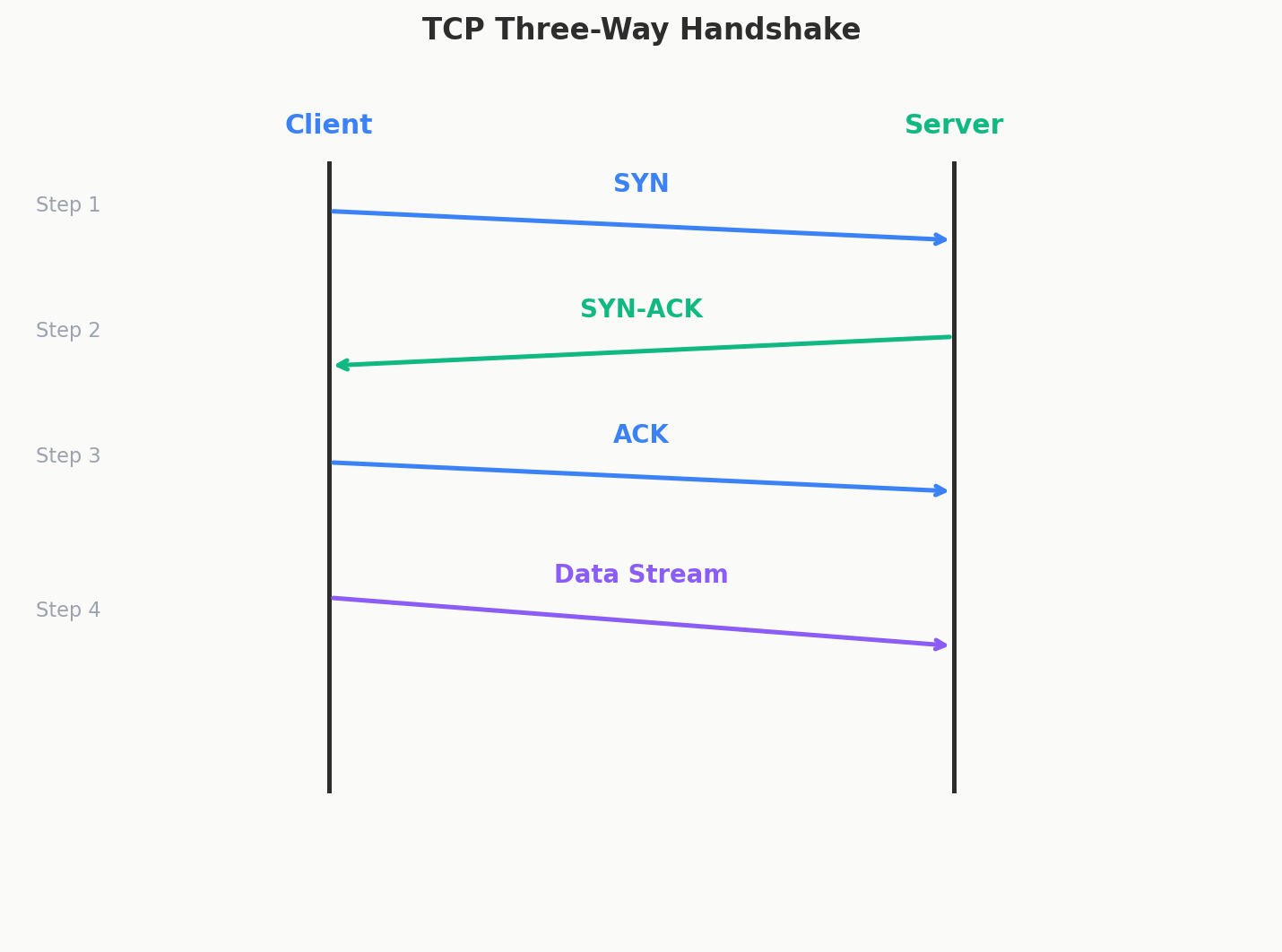
The Connection: A Stream You Can Trust
We already saw the three-way handshake (SYN → SYN-ACK → ACK) in the last chapter. Once that handshake completes, you have a stream — a reliable, ordered channel between two machines.
Think of it like a pipe. You pour data in one end, and it comes out the other end in the exact same order. If some data gets stuck in the pipe (a packet gets lost), TCP notices and pushes it through again until it arrives.
As an application developer, this is beautiful. You just write data into the stream and it shows up on the other end — complete, ordered, and correct. You never have to worry about lost packets or jumbled messages. TCP handles all of that.
What TCP Promises You
| Feature | How It Works |
|---|---|
| Reliable delivery | Every packet gets acknowledged. If the acknowledgment doesn't come back, TCP resends the packet automatically. |
| Ordering | Even if packets arrive shuffled (because they took different routes), TCP reassembles them in the exact order you sent them. |
| Flow control | The receiver says "I can handle X amount of data right now." The sender adjusts. Nobody gets overwhelmed. |
| Congestion control | If the network itself is busy, TCP slows down to avoid making traffic jams worse. |
Flow Control — "Don't Talk Faster Than I Can Listen"
Imagine you're dictating a letter and the person writing it down can only write so fast. If you talk too quickly, they'll miss words.
TCP handles this with a sliding window. The receiver tells the sender: "I have room for 1000 bytes in my buffer." The sender sends up to 1000 bytes, then waits for the receiver to say "okay, I've processed some, you can send more." Nobody's buffer overflows.
Congestion Control — "Don't Clog the Network"
Flow control prevents overwhelming the receiver. Congestion control prevents overwhelming the network.
TCP starts slow — sending just a little data. If everything's getting through fine, it gradually speeds up. The moment it detects a lost packet (a sign the network is congested), it backs off. Then slowly ramps up again.
This is why a brand new TCP connection starts slow and takes a moment to reach full speed. For long downloads, that doesn't matter. For short requests (like a quick API call), you might never reach full speed before the request is done. That's one of the costs of TCP's cautious approach.
The Cost of Safety
All these guarantees aren't free. Here's what you pay for TCP's reliability:
Connection setup takes time. The three-way handshake adds a full round trip before any data flows. If the server is across the ocean, that's 50-100ms just for the handshake. Before your actual data even starts moving.
Extra traffic. Every packet needs an acknowledgment. That's more packets on the wire.
Head-of-line blocking. This one's tricky. Imagine TCP is delivering 10 packets. Packet #3 gets lost. Packets #4 through #10 arrive fine — but TCP won't pass them to your application until #3 has been retransmitted and received. Everything waits in line behind the missing packet. This is TCP's biggest pain point for applications that send multiple independent streams of data over one connection.
Bigger headers. TCP headers are 20-60 bytes vs UDP's 8 bytes. For tiny, frequent messages, that overhead adds up.
A Quick Word on QUIC
There's a newer protocol called QUIC (created by Google) that tries to give you TCP's safety without its baggage.
QUIC runs on top of UDP (yes, really) but adds back reliability, ordering, and encryption (TLS is built in from the start — you don't add it separately).
The big win: QUIC fixes the head-of-line blocking problem. It supports multiple independent streams within one connection. If a packet in Stream A gets lost, Stream B keeps flowing. In TCP, everything would freeze.
QUIC also connects faster — in the best case, data can start flowing immediately without waiting for a handshake (called 0-RTT).
You might have already used QUIC without knowing it. YouTube, Google services, and Cloudflare all use it. It's the foundation of HTTP/3 — the latest version of HTTP. But it's still not universal, so for most discussions, TCP is the safe default.
The simple mental model: QUIC = "TCP but better, built on UDP." If someone asks about HTTP/3, that's QUIC underneath.
When to Use TCP
The short answer: almost always. Web APIs, database connections, file transfers, email, authentication — if you're building something and you're not sure which protocol to use, it's TCP.
We'll make this decision more concrete in the next lesson.
Interview Tip
You almost never need to explicitly say "I'm using TCP." It's the assumed default. If you mention HTTP, REST, or any standard web technology, TCP is already implied.