REST APIs
TL;DR
REST is a way of designing APIs where everything is a "thing" (a resource) that you can read, create, update, or delete using standard HTTP methods. It's the default API style for most web applications.
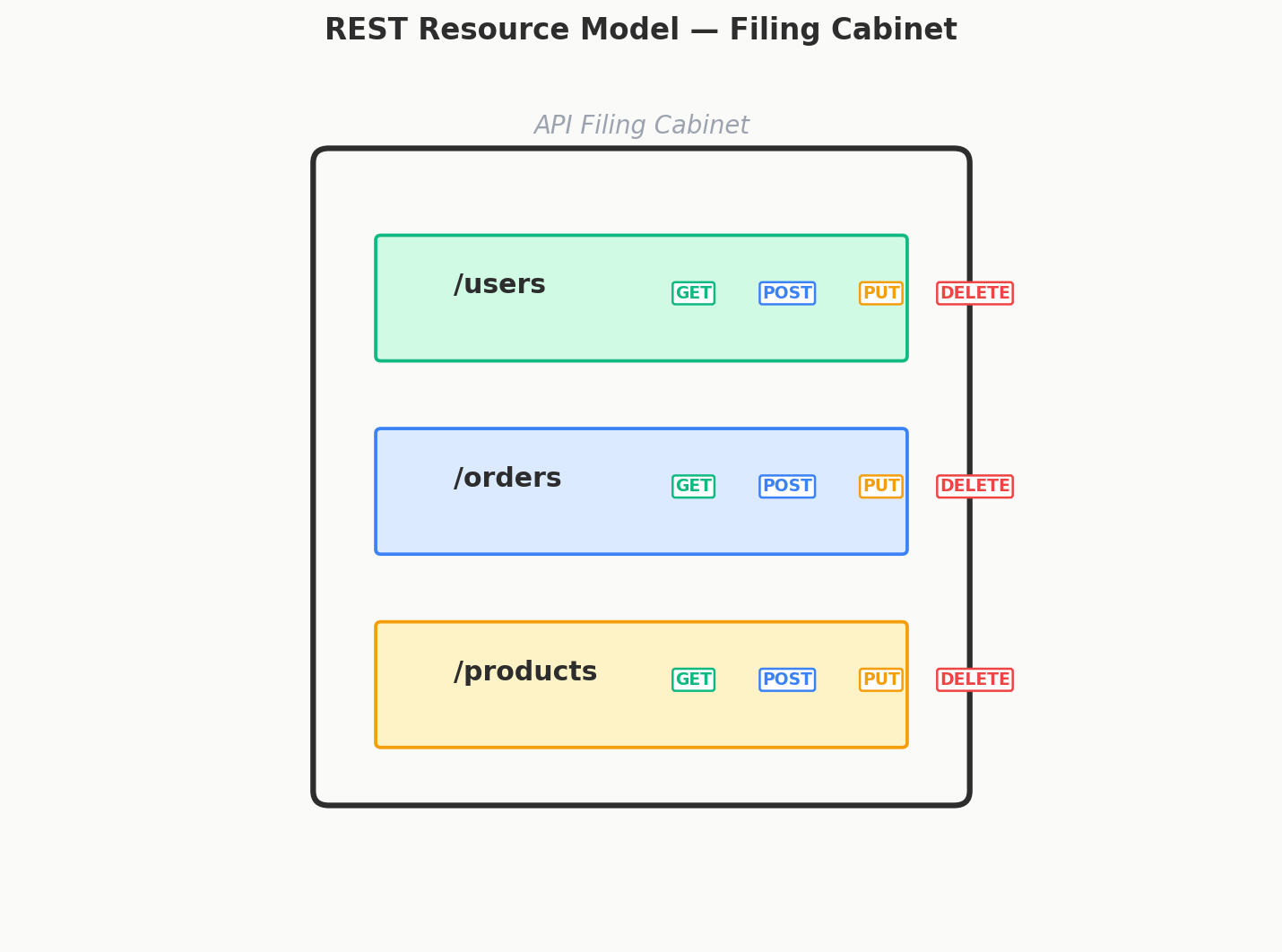
Imagine a Filing Cabinet
You walk up to a filing cabinet. Each drawer is labeled: Users, Orders, Products. Inside each drawer are folders — one per item.
To get information about a specific user, you open the Users drawer and pull out folder #42. To add a new order, you create a new folder in the Orders drawer. To delete a product, you remove its folder.
That's REST. Everything is a resource (a "thing"), and you perform simple operations on it: read it, create it, update it, delete it. The filing cabinet is your server. The folders are your data.
The Mental Shift: Things, Not Actions
This is where most people trip up when they first learn REST. If you're used to programming, you think in terms of functions: updateUser(), startGame(), sendEmail(). These are actions.
REST doesn't think in actions. It thinks in things:
| Action-oriented (NOT REST) | Resource-oriented (REST) |
|---|---|
updateUser(42, newData) |
PUT /users/42 with the new data |
startGame(7) |
PATCH /games/7 with {"status": "started"} |
getUserPosts(42) |
GET /users/42/posts |
createUser(data) |
POST /users with the data |
See the pattern? The URL tells you what thing you're working with. The HTTP method tells you what you're doing to it.
A Complete Example
Here's what a simple user API looks like in REST:
Read a user:
Create a new user (notice: no ID in the URL — the server assigns one):
POST /users
Body: {"name": "Grace Hopper", "email": "grace@example.com"}

Response: {"id": 43, "name": "Grace Hopper", "email": "grace@example.com"}
Update a user:
PUT /users/42
Body: {"name": "Ada Lovelace", "email": "ada.updated@example.com"}

Response: {"id": 42, "name": "Ada Lovelace", "email": "ada.updated@example.com"}
Delete a user:
Nested Resources — Showing Relationships
Resources can be nested to show that one thing belongs to another. A user has many posts:
This URL structure itself tells you the relationship: posts belong to users, and you're asking for all posts by user 42. The URL is like a path through your data model.
Why REST Works So Well
It's simple. You already know HTTP methods from the last lesson. REST just gives you conventions for how to use them with URLs.
It's cacheable. GET requests can be cached by browsers, CDNs, and proxies out of the box. If you ask for /users/42 twice, the second time might come from a cache instead of hitting your server.
Everyone understands it. If you say "I'm building a REST API," every developer on your team knows what to expect. Most major public APIs (Stripe, GitHub, Twilio) are RESTful.
It maps to your data model. If you've already identified the core entities in your system (Users, Orders, Products), they map directly to REST resources. No extra translation needed.
Where REST Gets Awkward
REST isn't perfect for everything. Two pain points come up often:
Under-fetching: Your mobile app needs to display a profile page showing a user, their posts, and their groups. With REST, that's three separate requests: GET /users/42, GET /users/42/posts, GET /users/42/groups. Three round trips. On a slow mobile connection, that adds up.
Over-fetching: Your GET /users/42 endpoint returns everything about the user — name, email, avatar, settings, payment info, preferences — even though you only needed the name and avatar. Wasteful.
These problems are what GraphQL was designed to solve. We'll look at that next.
But for the vast majority of use cases, REST is more than good enough. And JSON, while not the most compact format, is human-readable and easy to debug — which matters more than raw efficiency for most applications.
The Quick Design Recipe
When designing a REST API in a system design discussion:
- Identify your core entities — Users, Messages, Products, Orders, etc.
- Make each one a resource —
/users,/messages,/products,/orders - Use HTTP methods — GET to read, POST to create, PUT/PATCH to update, DELETE to remove
- Nest for relationships —
/users/42/ordersfor orders belonging to user 42 - Return JSON — The standard format for API responses
That's it. Keep it simple.
Interview Tip
Lead with REST. It's the universally understood baseline. Only mention GraphQL or gRPC if the problem has specific needs that REST can't serve well (flexible data fetching or high-performance internal communication). "I'll start with a RESTful API" is almost always the right opening move.